The iPhone Duo is playful. So is moving.
Fold it, prop it, stand it up like a tent. Wakeout redid its layouts for every pose, so movement games and one-minute Wakeouts fit whichever way you set the Duo down.
By Pedro Wunderlich, Co-founder, Wakeout · Updated
Every pose
However you fold it, Wakeout follows
The first thing anyone does with a Duo is fold it: open, half open like a book, propped like a laptop, stood up like a tent. It's a small screen, so we rebuilt layouts pose by pose instead of stretching the phone one.
Closed
All of Wakeout on the outside screen, tabs in the side column beside the clock. Upright or sideways.
Open
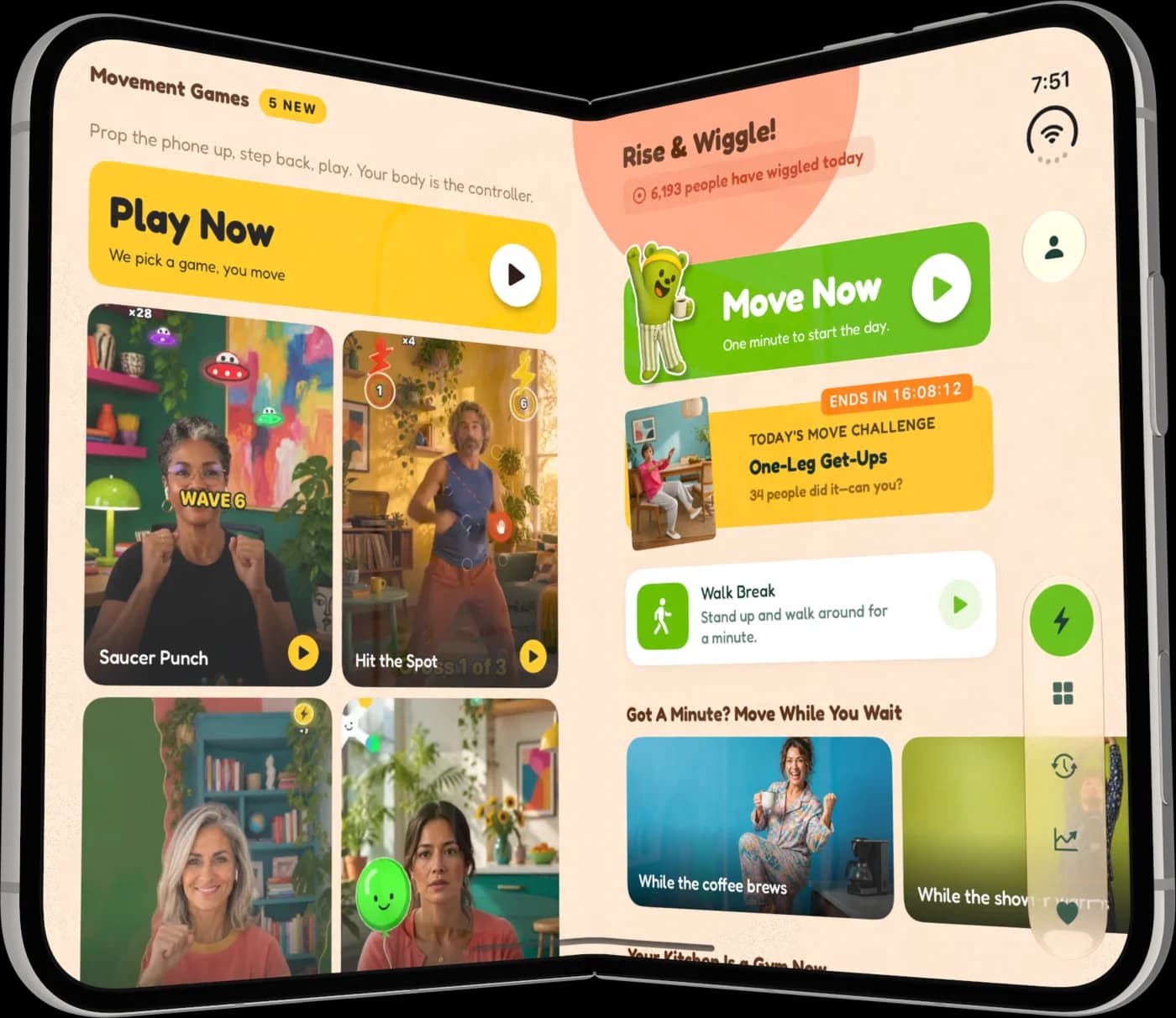
A split view that shows more, not just bigger: games on one side, Home on the other.
Book
Half open and upright. In a movement game the camera side plays, the other side keeps score.
Laptop
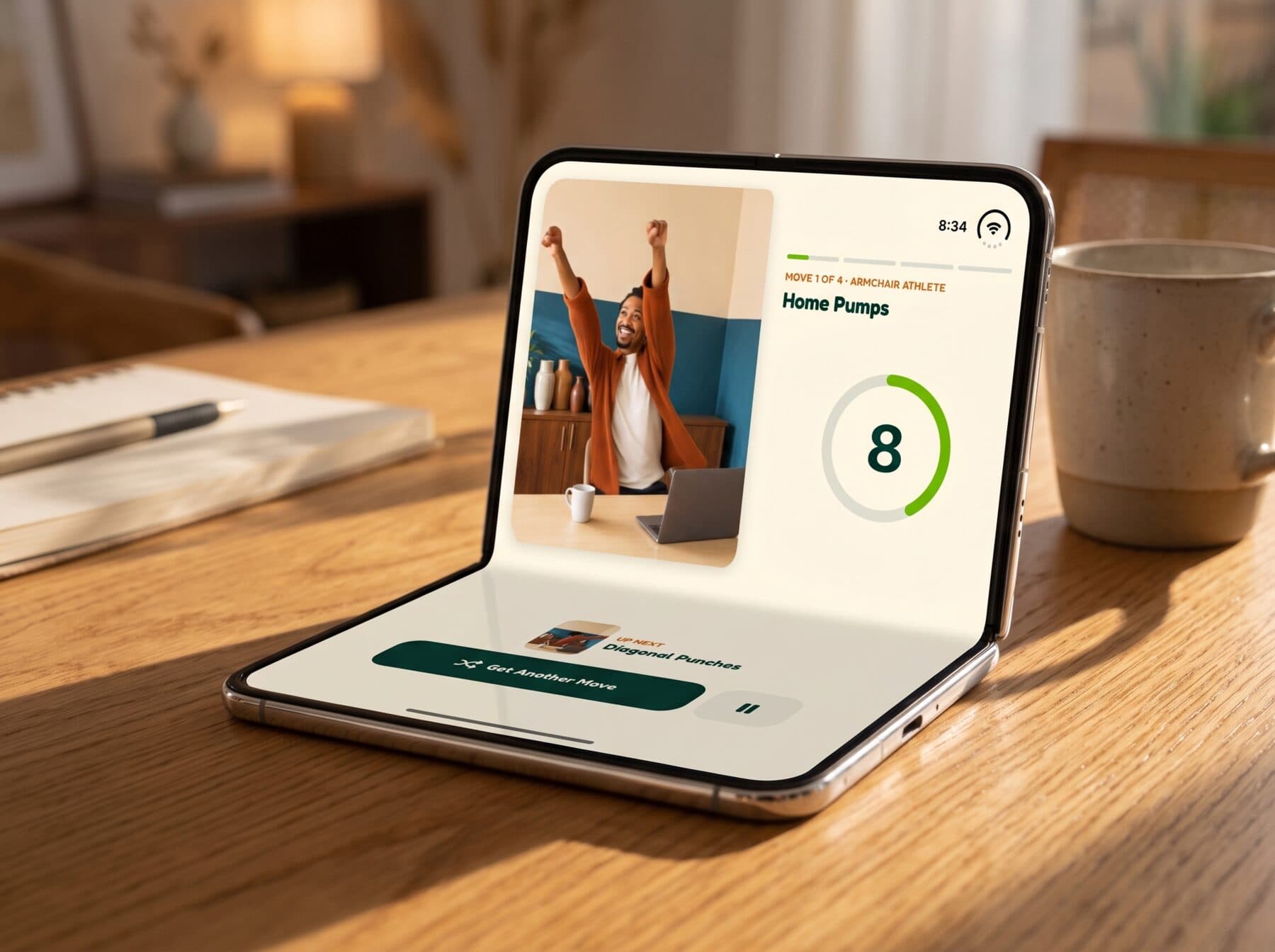
The half lying on the table becomes your remote. The video or game stands up top.
Tent
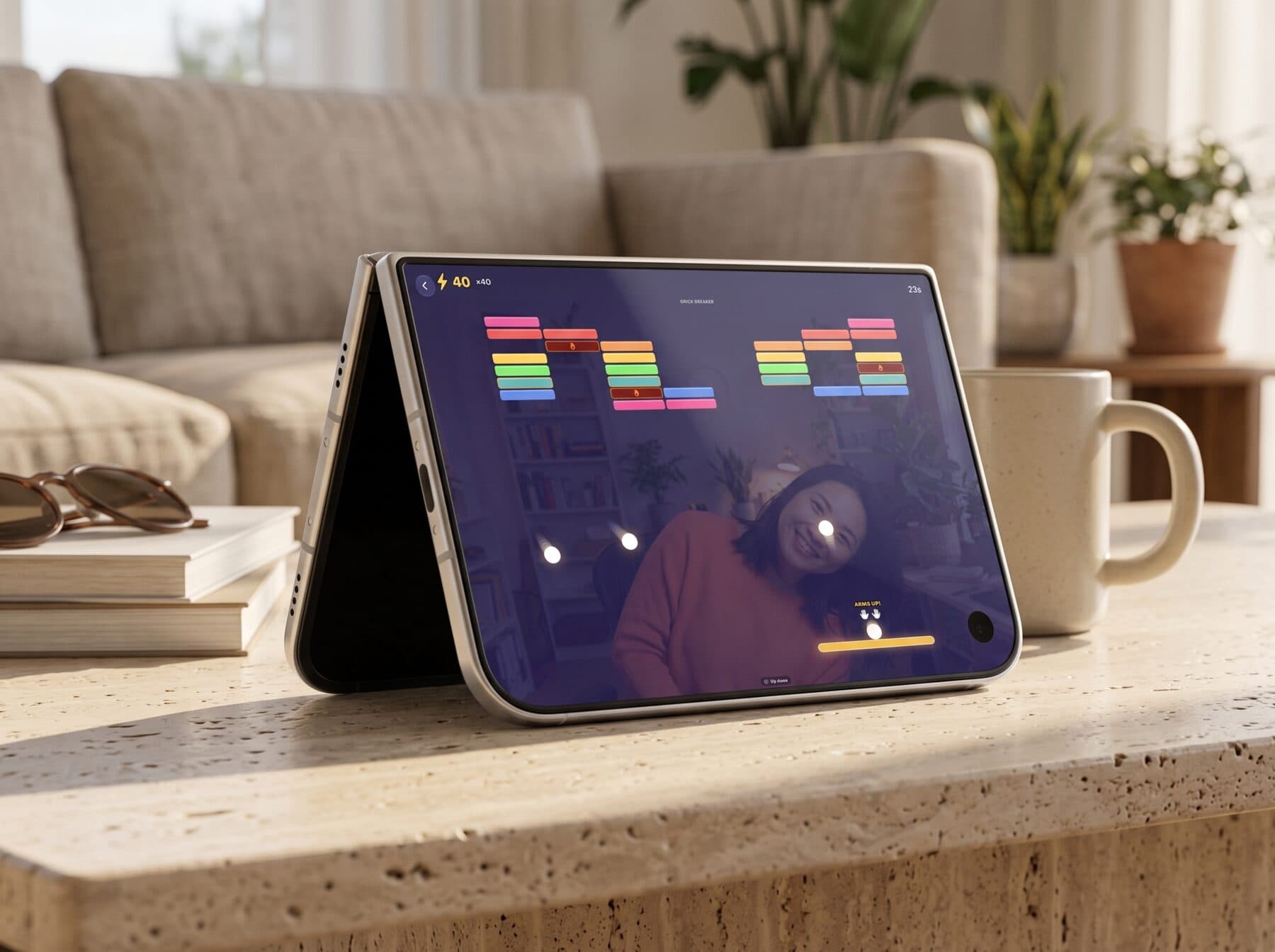
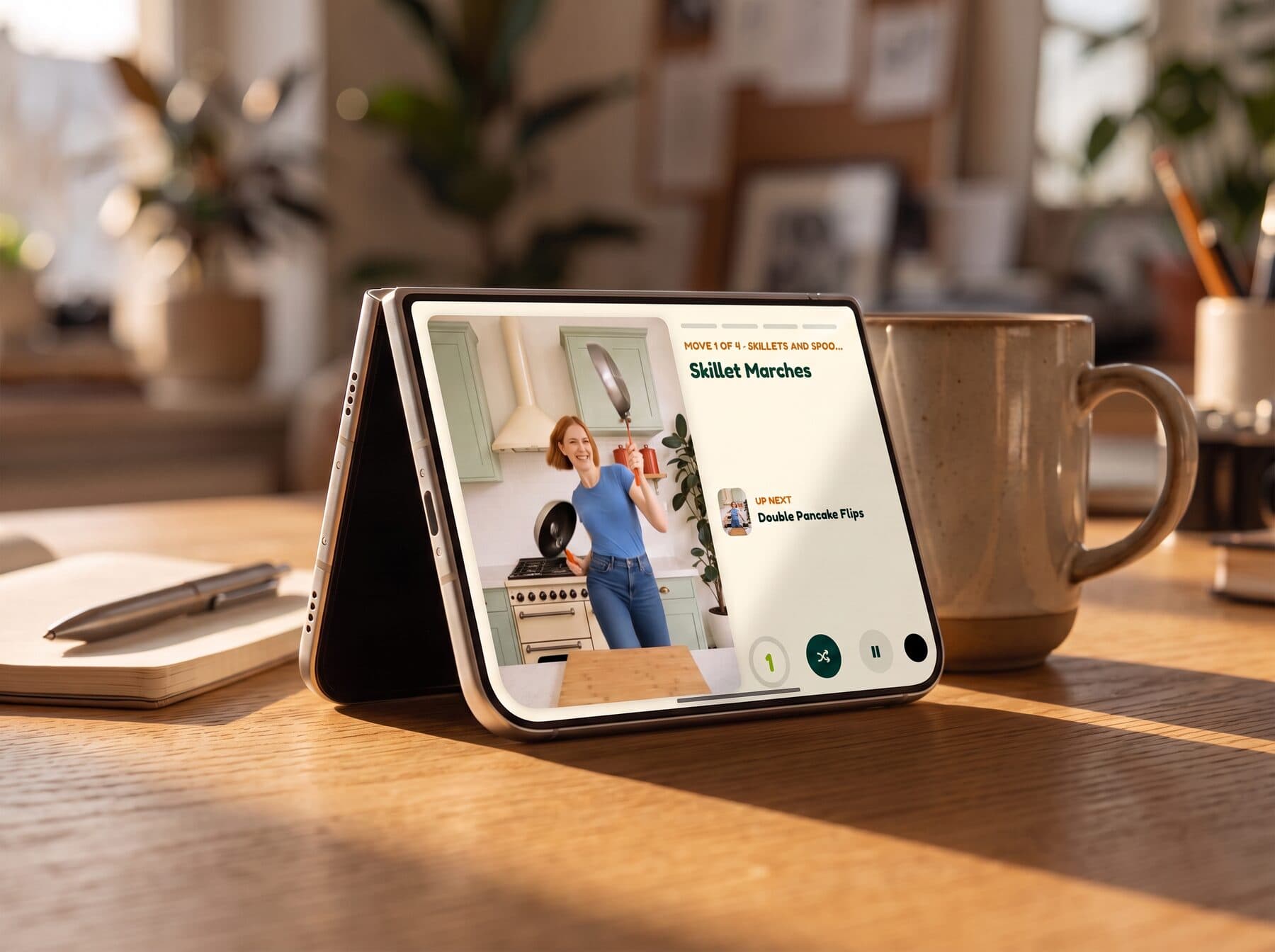
Folded a little and stood on its edges. A compact player, and the perfect camera angle for games.
Tent mode
Tent mode is the best seat in the house for movement games
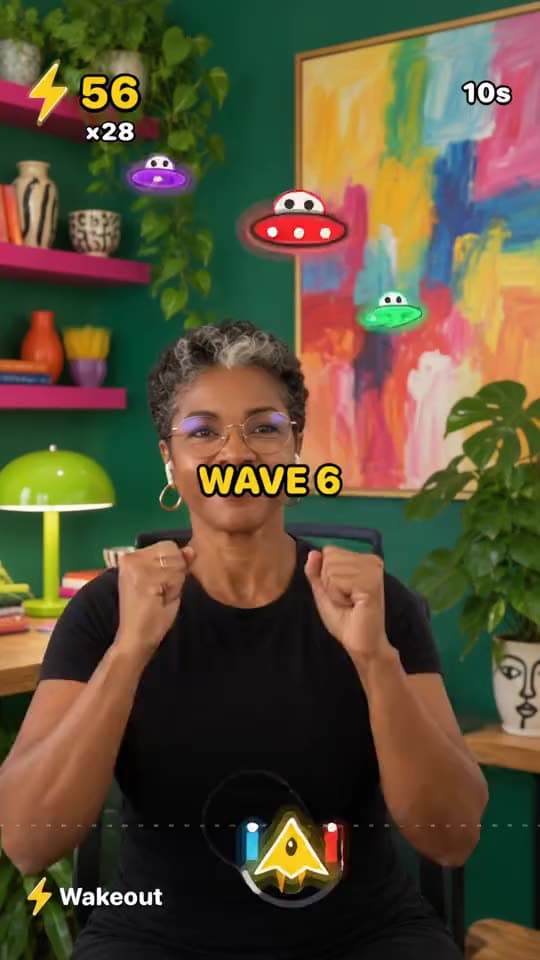
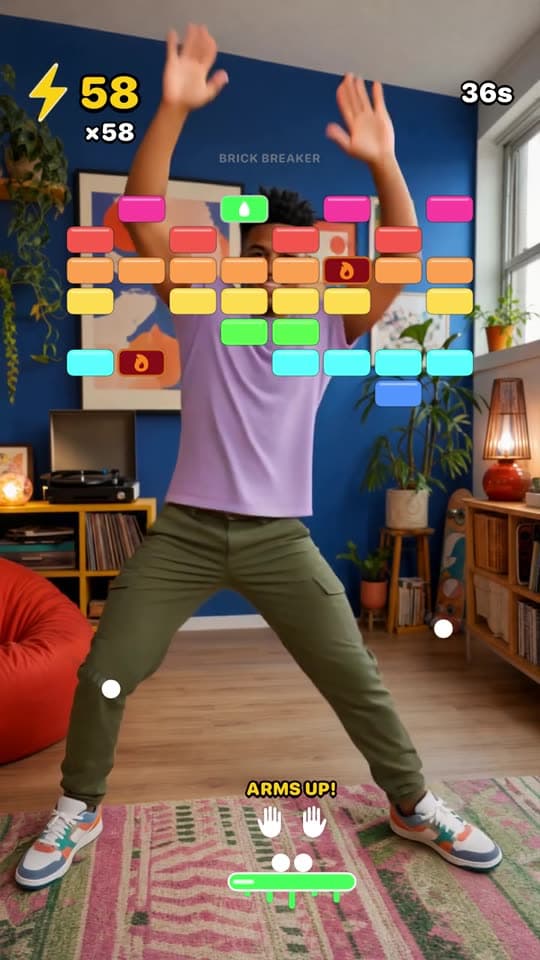
Movement gamesFold the Duo a little, set it sideways on the table and step back. The camera lands at just the right angle to see you, and the wide view gives games that love room to move, like Brick Breaker and Saucer Punch, the whole screen.
WakeoutsWakeouts get a compact tent player too: the move on one side, its name and what's next on the other, with the counter and controls underneath. Prop it on the kitchen counter and follow along.
Laptop mode
In laptop mode, the bottom half turns into a remote
Bend the Duo like a tiny laptop and the half lying flat on your desk gains the controls: get another move, pause, keep going. The video or game stays up on the standing half where you can see it, and your hands stay free to move.
- ✓Works for Wakeouts and movement games
- ✓Controls sit where your fingers already are
- ✓Fits beside a keyboard on a busy desk
Book mode
Book mode: the game on the camera side, the score on the other
Hold the Duo half open like a book while you play and Wakeout splits the job. The side with the camera runs the movement game, so it can see you. The other side keeps your score, your streak and the time left.
Open
Open it up and you get more Wakeout, not a bigger phone
Fully open, Wakeout uses a split view. The right side is what you know from the closed phone, and the left side adds something new instead of filler.
Home
Left: every movement game, with a big Play Now button that picks one for you
Right: your Home, with Move Now, today's challenge and walk breaks
Stats
Left: your activity log
Right: your progress and Watts in the trophy room
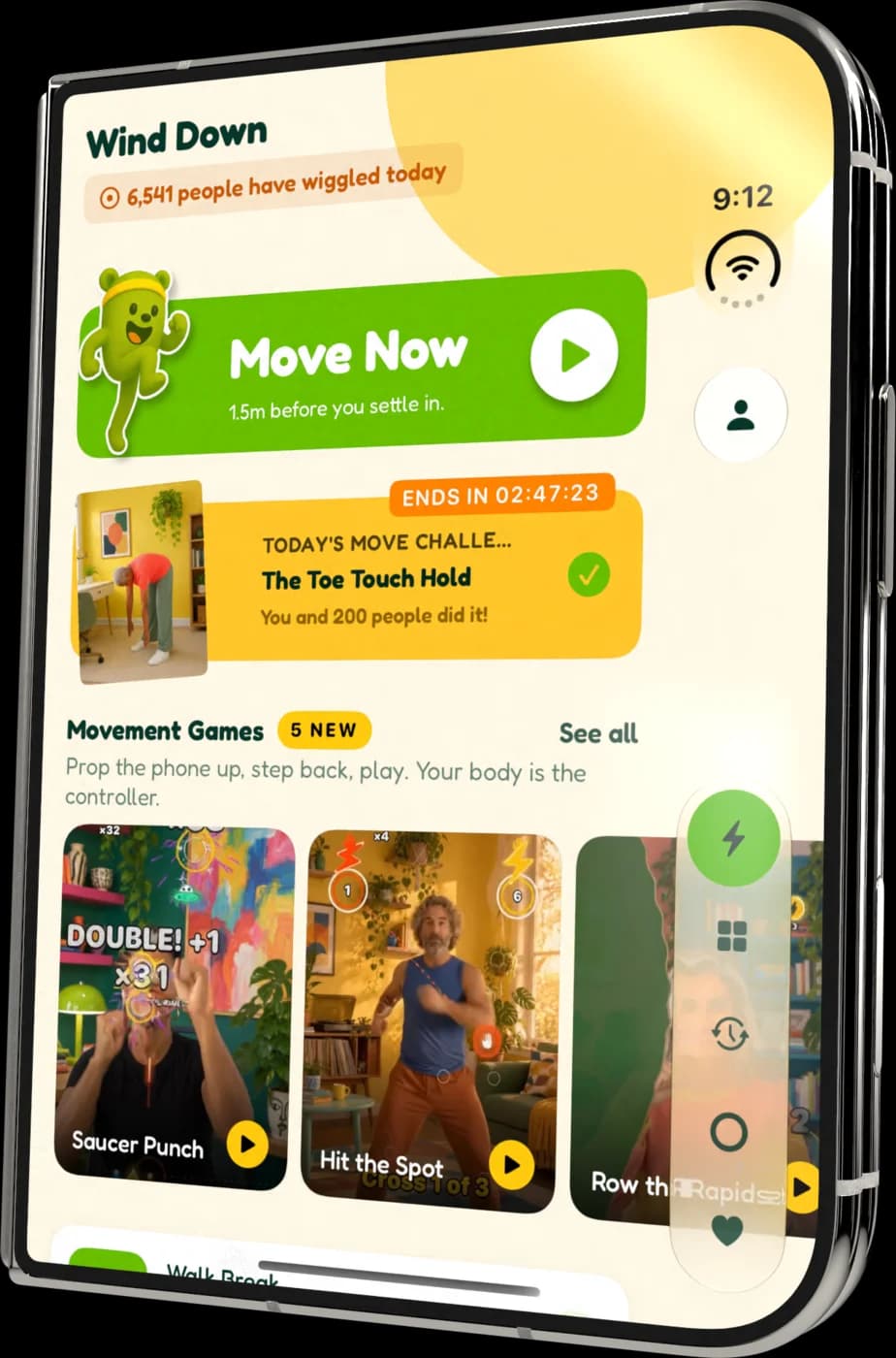
Closed
Closed, it's still the whole app
On the outside screen Wakeout moves its tabs into the side column, next to the clock, and lets the content run edge to edge. Turn it sideways and everything turns with it.
Ten games
Meet the games that make you move
Hit the Spot, Saucer Punch, Brick Breaker and seven more. Your body is the controller, and most of them work sitting down.
See the movement games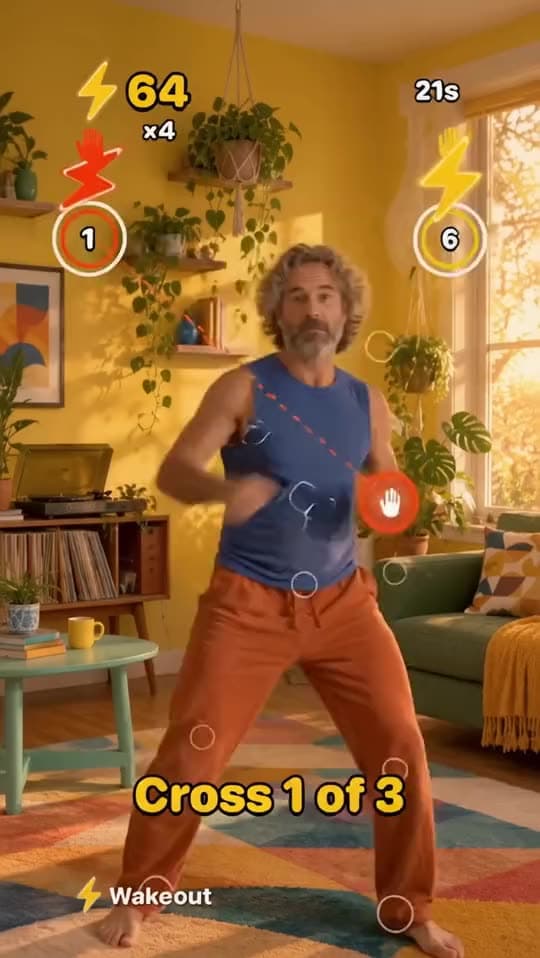
iPhone Duo questions
Is Wakeout optimized for iPhone Duo?
Yes. Wakeout supports every orientation and pose on iPhone Duo: closed, open, book, laptop and tent. Layouts were rebuilt for each pose, and some poses change how the app works, like the remote on the flat half in laptop mode.
What can I do in tent mode on iPhone Duo?
Play movement games and follow one-minute Wakeouts. Folded a little and laid sideways, the camera sits at the right angle to see you, and the wide screen suits games like Brick Breaker and Saucer Punch.
How does Wakeout work in laptop mode?
The half lying flat on the table holds the controls (another move, pause) and the upright half shows the video or the game, for both Wakeouts and movement games.
What happens in book mode?
During a movement game, the game runs on the side with the camera and your score shows on the other side.
What are good iPhone Duo games that get you moving?
Wakeout has ten movement games you play with your body through the camera, including Hit the Spot, Saucer Punch and Brick Breaker. On iPhone Duo they fit every pose, and tent mode gives them the best camera angle.
Do the camera games work when the Duo is folded?
Yes. The game uses the camera on the side facing you, and in book mode it runs on that camera's side while the score moves to the other.
Does Wakeout rotate on iPhone Duo?
Yes, in every pose, closed or open, upright or sideways.
Is the iPhone Duo version included?
Yes. It's the same Wakeout app on the App Store. Wakeout Pro covers iPhone, iPad, Mac and Apple Watch with one subscription, and it starts with a free week.
Fold it. Prop it. Play.
Wakeout for iPhone Duo, iPhone, iPad, Mac and Apple Watch. Movement that doesn't feel like exercise, in whatever shape your phone is in.